
License & Registration
BandiView License Policy
How to register BandiView
How to troubleshoot when I can’t register BandiView
How to troubleshoot "The product has been registered on too many devices."
BandiView Edition Comparison
Features & Technical Terms
BandiView shortcut keys
How to customize shortcuts
Command Line Parameters
Thumbnail preview in File Explorer (psd, clip, ...)
Webtoon View Mode
How to group RAW and JPG files as a single image
Photo folder
ICC profile
How to configure BandiView's video output
How to export and import BandiView settings
Supported BandiView File Formats
How to view CLIP STUDIO PAINT files (.clip) with BandiView
How to view PSD files (.psd) with BandiView
How to view SVG files (.svg) with BandiView
How to view HEIC and HEIF files with BandiView
BandiView for HDR Images
BandiView HDR support
How to turn on HDR settings in Windows
When HDR images do not look like HDR
Sample files for HDR support
The Complete Guide to Ultra HDR Jpeg
BandiView Image Converter
Sharp YUV conversion for WebP images
Tips and Tricks
How to make BandiView auto-run a slideshow
How to view CLIP STUDIO PAINT files (.clip) with BandiView
CLIP STUDIO PAINT is a drawing and painting app developed by Celsys, Japanese graphics software company. And the CLIP format (.clip) is an image file format for files created by the app.
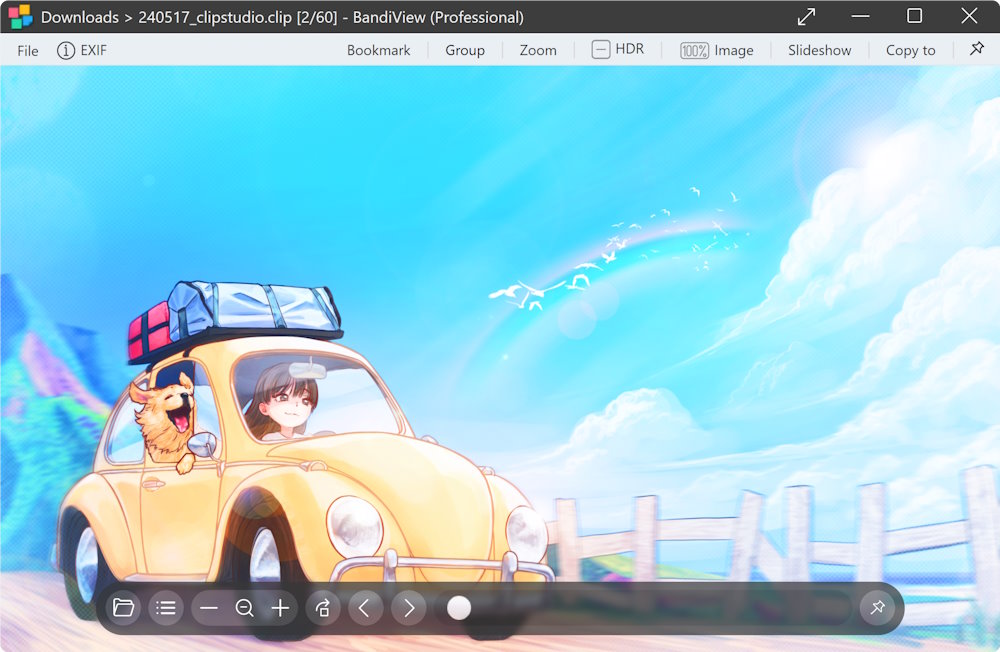
You can view CLIP image files drawn by CLIP STUDIO PAINT with BandiView fast and easy.
How to save in compatibility mode
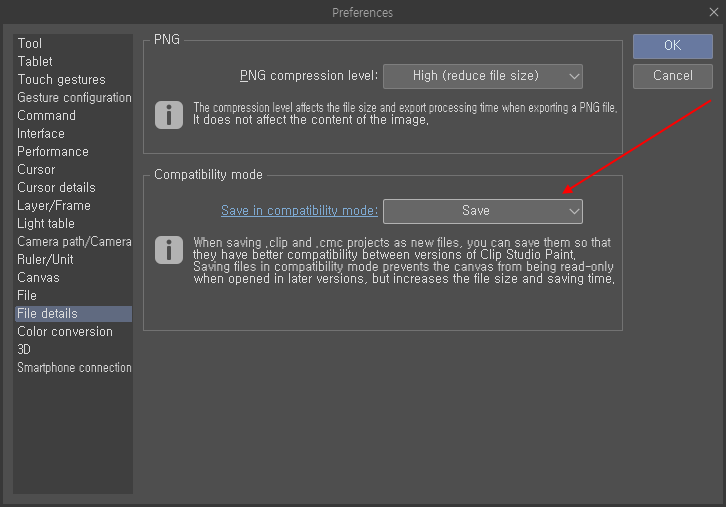
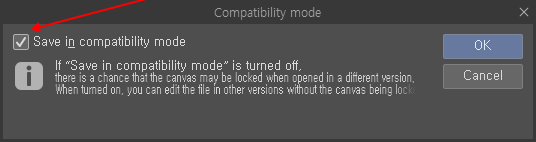
To view CLIP files in their original size (resolution), you may use compatibility mode when saving files. Open the app's preferences and configure the compatibility mode settings as below.
For the files which has not been saved in compatibility mode, BandiView can shown them only as resized and smaller images.
Note
- For incompatible CLIP files, if an image is larger than 2000 * 2000 pixels, BandiView shows the image resized to that resolution. An image smaller than that is displayed at its original size.
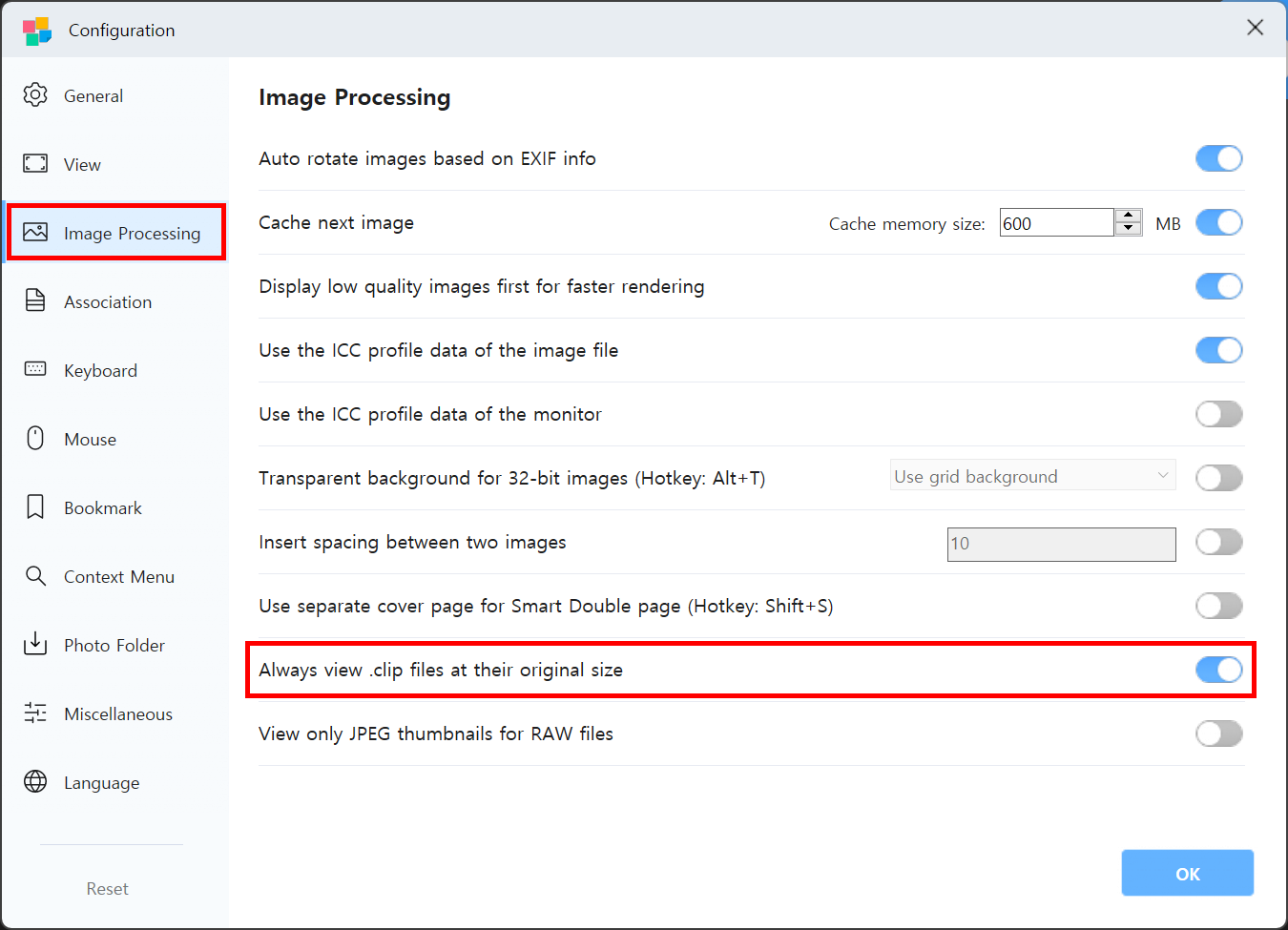
- If you are using CLIP STUDIO PAINT Ver.2.2.0 (2023-09-26) or later, BandiView may fail to display compatible CLIP files at the image's original size. Enable "Always view .clip files at their original size" as shown in the screenshot below to solve such a problem.
- BandiView may fail to display some types of vector layers correctly.